Enter Password

This project is protected under a Non-Disclosure Agreement (NDA), so specific details and assets have been omitted. What follows is a high-level look at my approach, outlining the research, design thinking, and problem-solving methods that drove the project’s outcomes.
Dispatch Overview
Moto Solutions
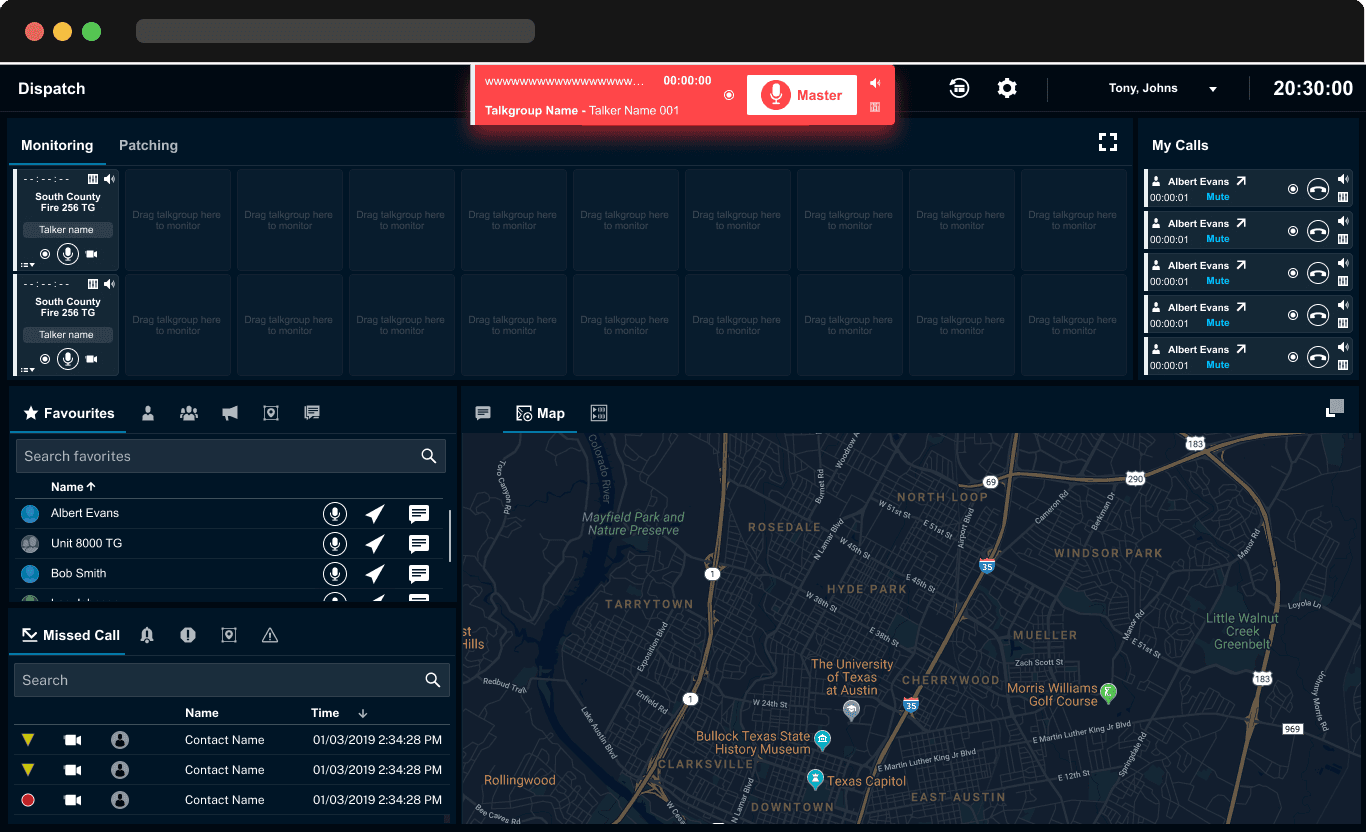
As a UX designer specializing in advanced technology solutions, I played a crucial role in enhancing the Motorola Solutions Dispatch system. This powerful tool is designed to improve communication, coordination, and response times for public safety agencies and organizations.
Public safety use case

My Role
Product designer : Work on the Geofence feature in the Dispatch app and developed its key functionalities, including location tracking, talk group management, and indoor location capabilities
My primary focus was on the Geofence feature, which allows for precise location tracking, efficient talk group management, and accurate indoor positioning. By prioritizing user-centric design and intuitive interfaces, I ensured that dispatchers could seamlessly monitor and manage resources, leading to quicker response times and enhanced operational effectiveness.
Getting to know the users
& understanding the context
Why is this feature required?
Dispatch App has challenges in supporting resource monitoring and communication for dispatchers and field personnel. Traditional tracking methods are slow and prone to errors, making it hard for dispatchers to respond quickly. The app cannot automate alerts when personnel enter or leave critical areas and struggles with indoor GPS tracking, which is vital for large buildings. These issues lead to delays in decision-making and reduced safety. Addressing these problems is key to improving the app’s effectiveness for public safety and business operations
Geofence Feature
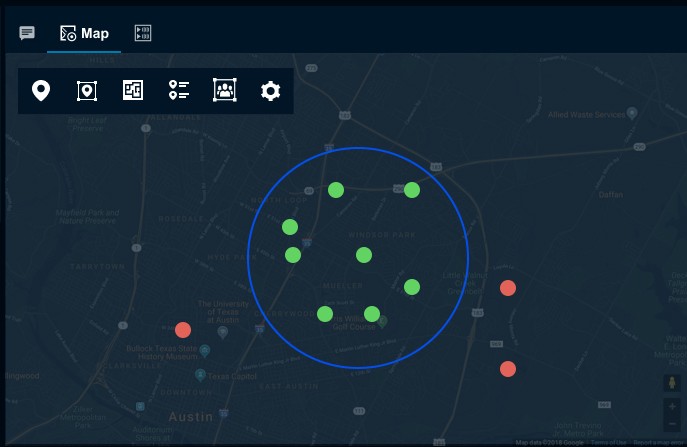
A geofence is a virtual boundary set around a real-world geographic area. This boundary can be created using GPS, RFID, Wi-Fi, or other location-based technologies. When a device enters or exits this boundary, specific actions can be triggered, such as sending alerts, notifications, or executing predefined tasks.
Understanding competitors
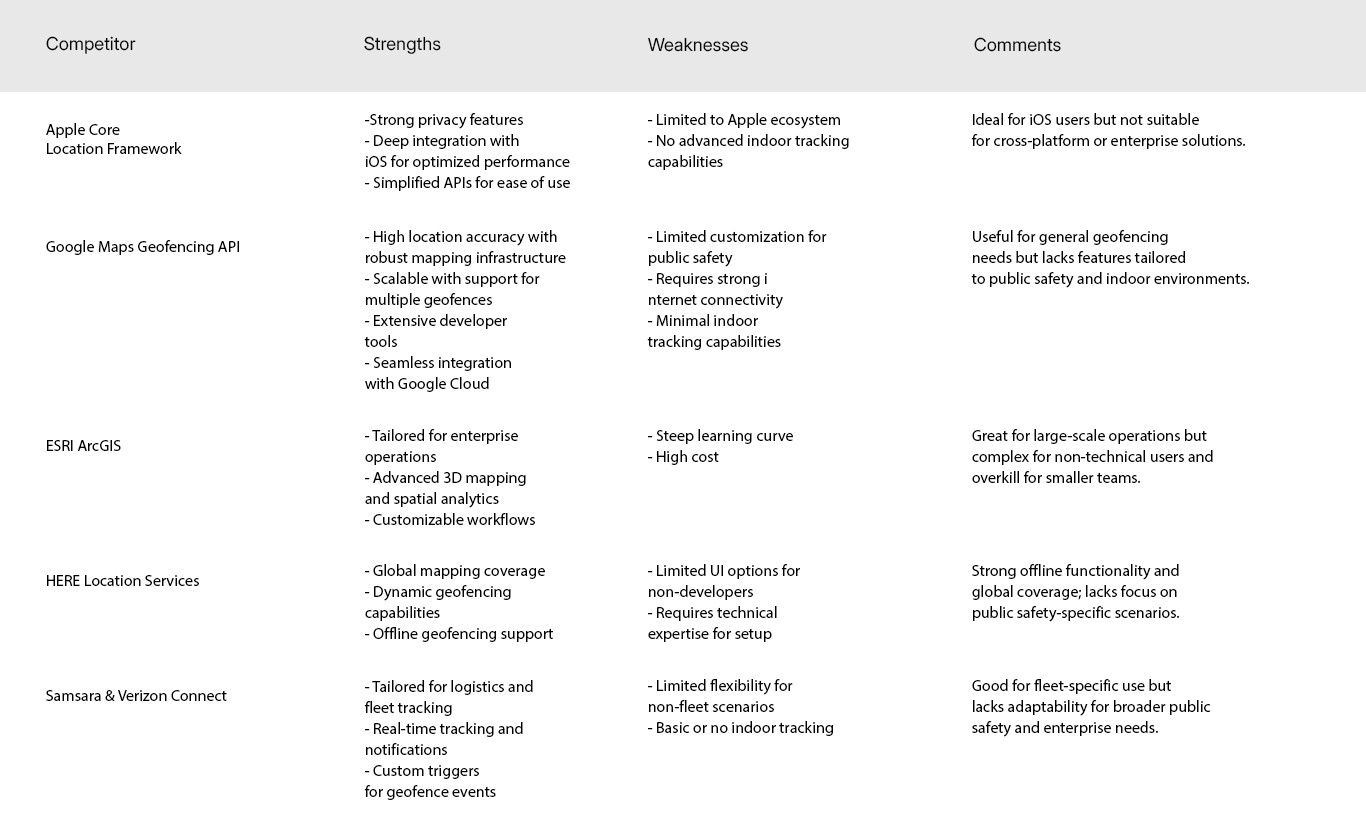
To assess the competitive landscape for geofencing, we analyzed leading platforms and applications offering similar capabilities, focusing on their strengths, weaknesses, and unique selling points. This analysis evaluates core functionalities, user experience, and areas where the Motorola Solutions Dispatch App can differentiate itself
Solutions for Public Safety
Most geofencing competitors cater to general-purpose or industry-specific needs, such as logistics and fleet management, but lack tailored features for public safety operations.
Real-Time Automation for Efficiency
Basic geofence automation is a common offering across competitors, but there’s a lack of advanced workflows capable of handling complex operations like resource allocation and incident response
Cross-Platform and Ecosystem Flexibility
Competitors like Apple Core Location are restricted to specific ecosystems, limiting their applicability in diverse operational settings.
Opportunity for Innovation
While competitors focus on general geofencing features, there’s a significant opportunity to innovate by combining precise location tracking, indoor geofencing, and real-time workflow automation in a single, integrated solution.
The Geofence feature was required to address specific challenges faced by dispatchers and field personnel in public safety and enterprise operations.
Here are the key reasons why it was necessary:
Enhancing Situational Awareness
The absence of accurate location data delayed critical decisions on resource allocation and emergency response, resulting in inefficiencies and increased risks. Enhanced tracking systems can greatly improve safety and effectiveness in emergencies
Reducing Response Time
Every second counts in emergency situations. Delays in detecting changes in personnel locations or communicating updates could significantly impact outcomes. The Geofence feature enabled faster detection of key events (e.g., personnel entering or leaving a critical area) and automated corresponding actions, reducing overall response time.
Overcoming Limitations in Indoor Tracking
In large, complex indoor environments like airports, hospitals, or warehouses, traditional GPS-based location tracking was unreliable. Dispatchers needed accurate indoor location data to monitor personnel effectively and ensure their safety.
Minimizing Human Error
Manual processes were prone to oversight, particularly in high-pressure situations. Automating routine tasks through geofencing reduced the likelihood of errors and ensured consistent and reliable operations
Geofence features
Location Tracking
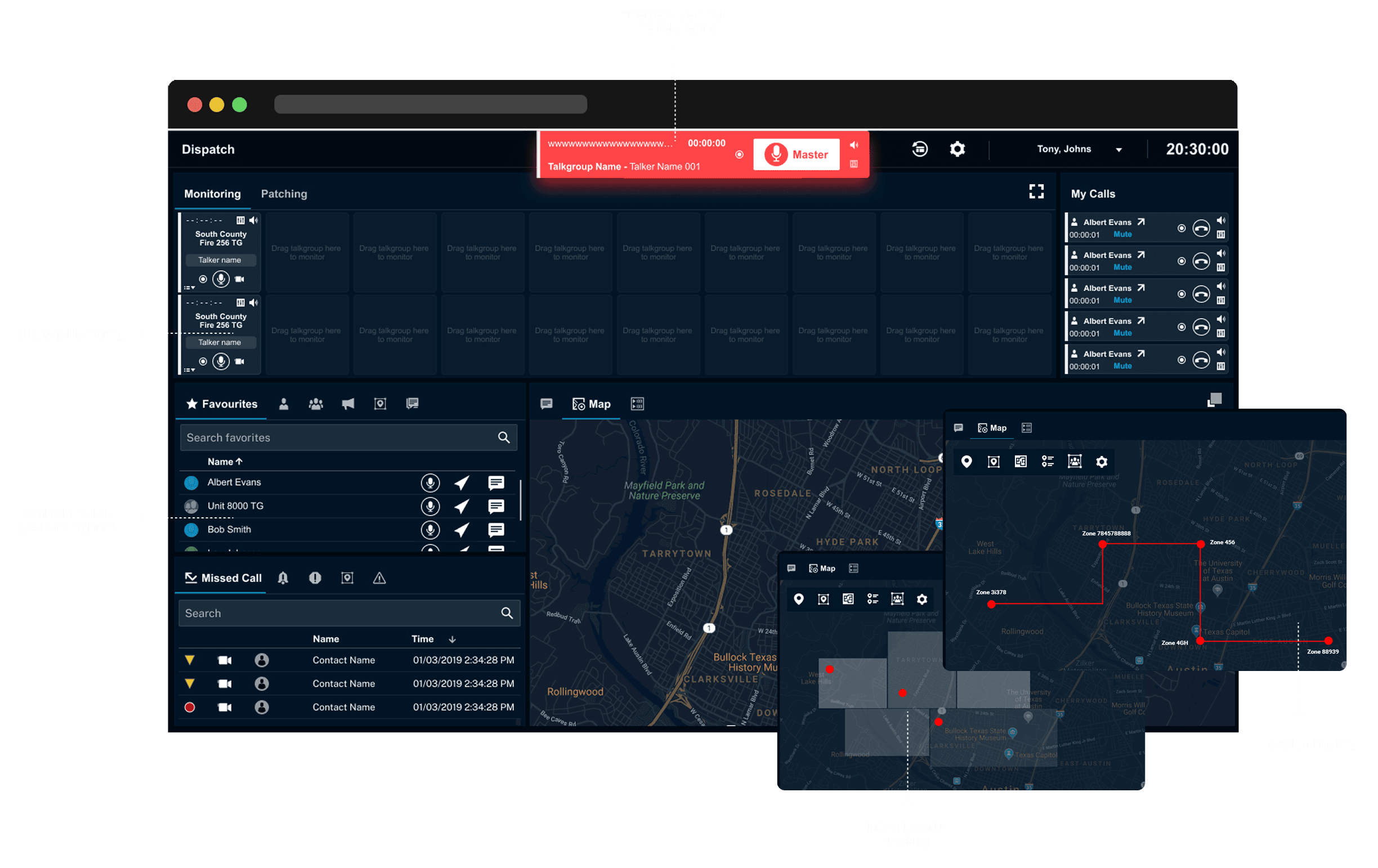
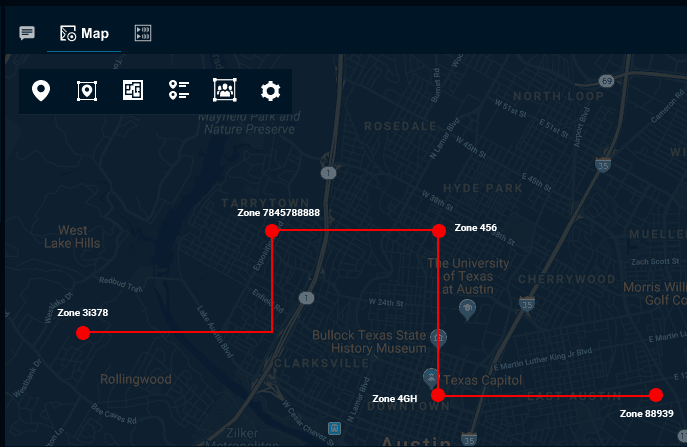
Real-Time Monitoring: The Geofence feature enables dispatchers to track the real-time locations of field personnel and assets within designated geographical boundaries. This is achieved through the integration of GPS and other location-based technologies.
Map Interface: A user-friendly map interface displays the locations of personnel and assets with clear markers and geofenced areas. This visual representation allows dispatchers to quickly assess the situation and make informed decisions.
Talk Group Management
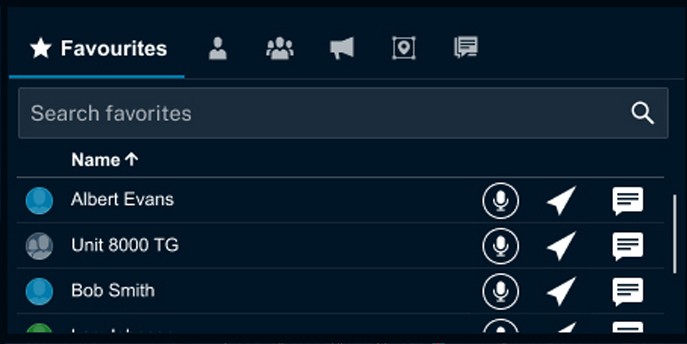
Dynamic Grouping: The system automatically assigns personnel to specific communication groups based on their location within the geofenced area. This ensures that individuals within the same area can communicate effectively without manual intervention.
Seamless Communication: Dispatchers can manage talk groups effortlessly, facilitating better coordination and quicker response to incidents. The interface allows for easy transitions between different communication groups as personnel move in and out of geofenced zones.
Indoor Location Tracking
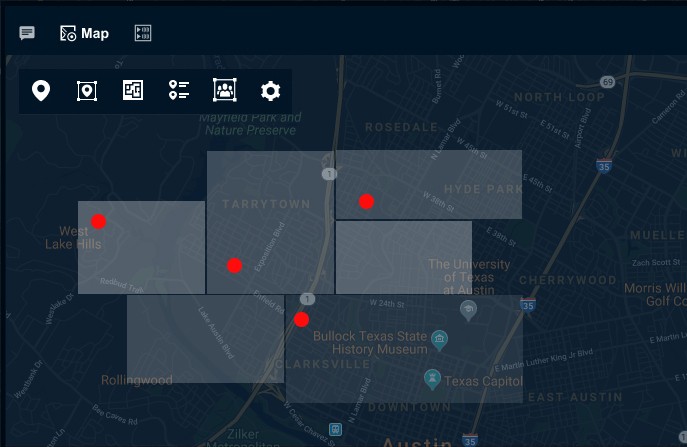
Indoor Tracking: The Geofence feature extends its capabilities to indoor environments, where GPS signals may be weak or unavailable. By utilizing beacons, Wi-Fi, Bluetooth, and other indoor positioning technologies, the system provides accurate tracking within buildings.
Detailed Floor Plans: Dispatchers can view detailed indoor maps with clear navigation aids and markers indicating personnel locations. This enhances situational awareness and allows for precise tracking and management of resources during indoor incidents.
STEP 1 - OBSERVE
Understanding
the context
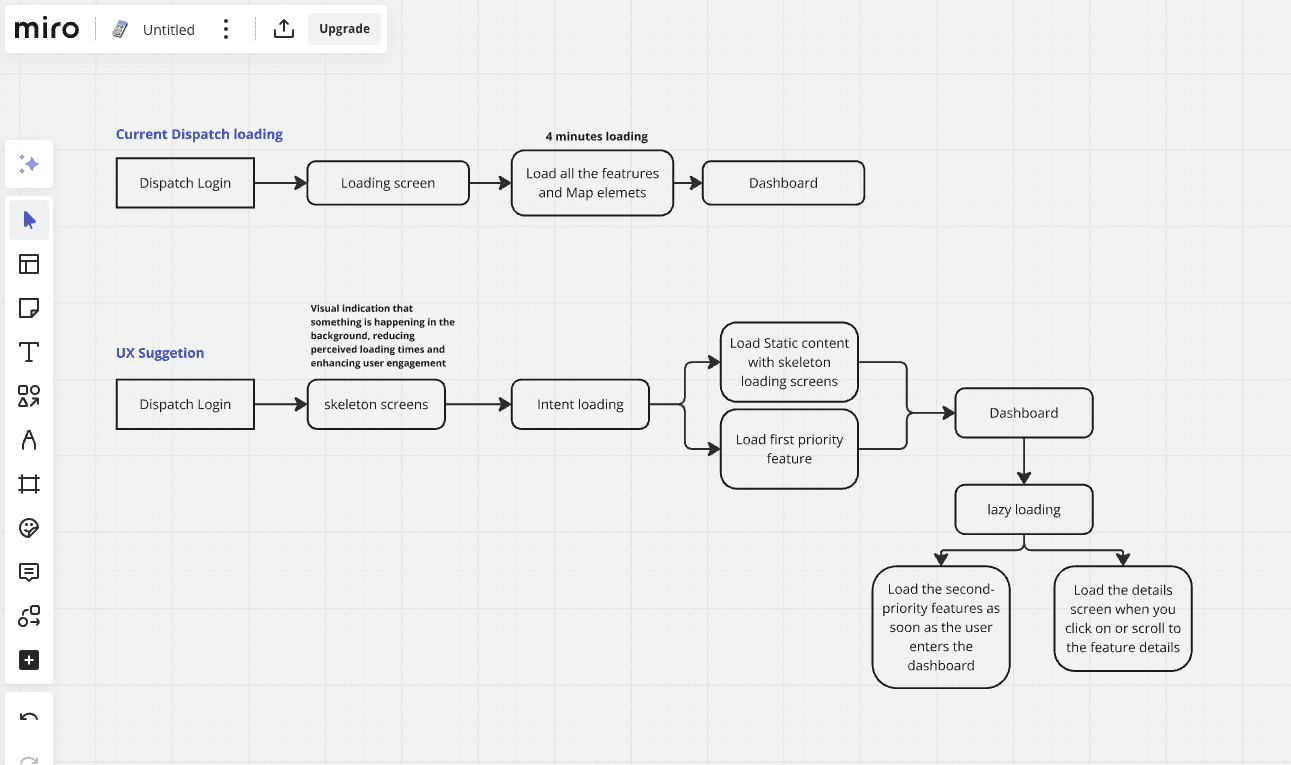
We addressed significant user feedback regarding the Dispatch app's loading time, which can take up to 4 minutes due to the numerous features and maps.
Mind mapping
STEP 2 - Make
Initial wireframes &
prototyping
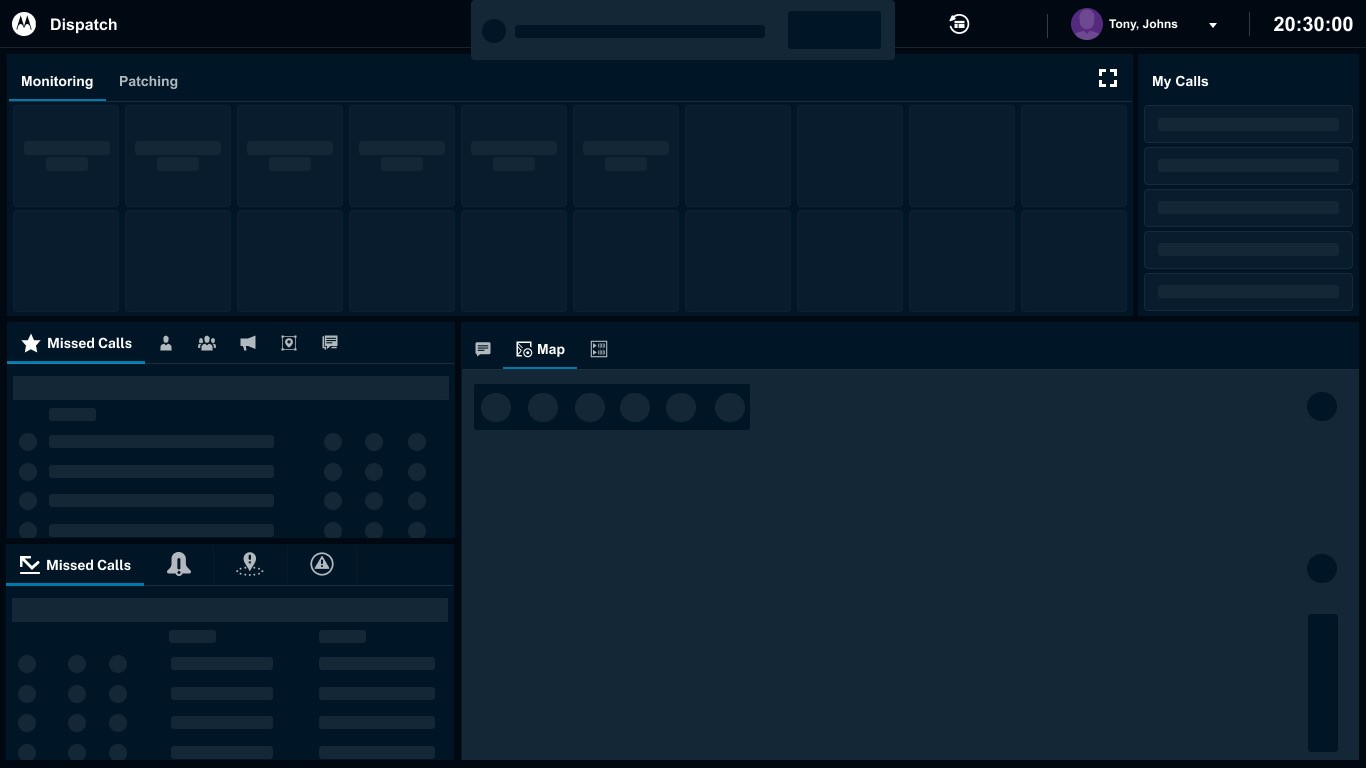
Step 1: Skeleton Loading Screen
Display a lightweight skeleton UI immediately to indicate system readiness and reduce perceived wait time.
Step 2: Static Elements Load First (No API Calls)
Render predefined UI components such as layout, headers, navigation, and placeholders without waiting for backend responses.
Step 3: Intent-Based Loading
Prioritize and load primary user actions (e.g., Talk Groups, Location Tracking, Key Controls) based on user intent and usage patterns.
Step 4: Lazy Loading (Background Processing)
Load secondary features, additional data, and non-critical modules progressively after the core experience becomes usable.